

Experience a faster, more comfortable way to work with Assai DMS.
Designed for How Teams Work Today
Designed for focus and built for speed, Assai Connect brings a new level of clarity to your daily workflow. It takes the structure and reliability of Assai and presents it in a modern interface that feels natural from the start.
Navigation feels lighter. Information is easier to scan. Actions feel more immediate.
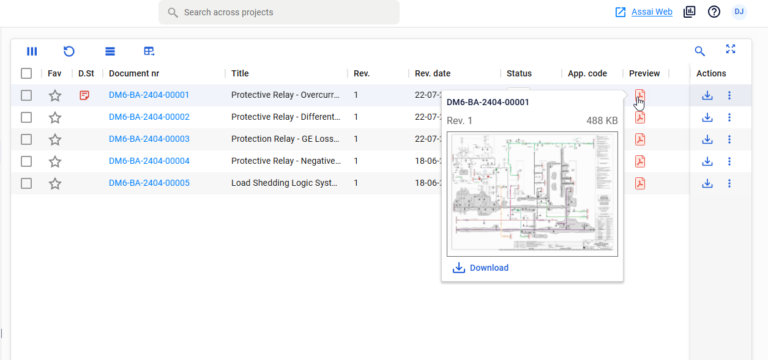
Inbox tools support smooth collaboration, and delegation helps work continue when team members are away.
Assai Connect makes everyday work easier and more enjoyable without changing the underlying processes you rely on.
A Workspace Built for Focus
Assai Connect is shaped to reduce friction, help teams stay focused, and support productive daily work.
A unified visual language guides users from searching and exploring to reviewing and navigating work packages.
You’ll notice
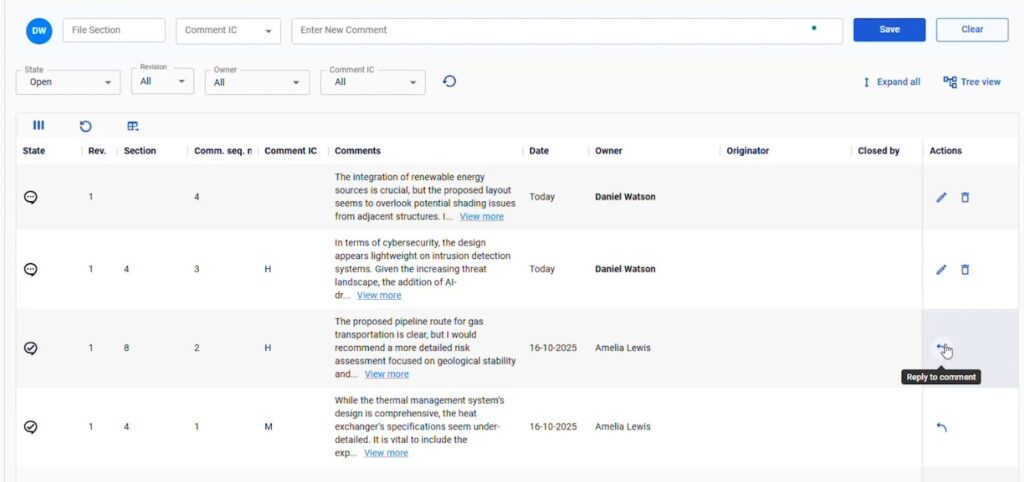
Fewer pop-ups and more in-context actions
Cleaner layouts that surface the information that matters
Improved readability through refined spacing and typography
The result is a more comfortable and efficient workspace that reduces the time spent searching and reviewing.
The Connect Experience at a Glance

Clarity at Every Step
Information presented cleanly so teams can understand it faster.

Designed for Focus
Reduced visual noise and meaningful spacing help users stay oriented.

Faster Navigation
Move through complex structures with fewer steps and smoother interactions.

Consistent Experience
Unified layouts and patterns make every part of Assai feel familiar.

Effortless Scanning
Improved hierarchy, typography, and spacing make complex pages easier to read.

Modern Interactions
Cleaner screen transitions and in-context actions reduce friction throughout the workflow.
Plus numerous interface refinements. From consistent buttons and layouts to enhanced download options and clipboard performance.
Navigate Complex Projects with Ease
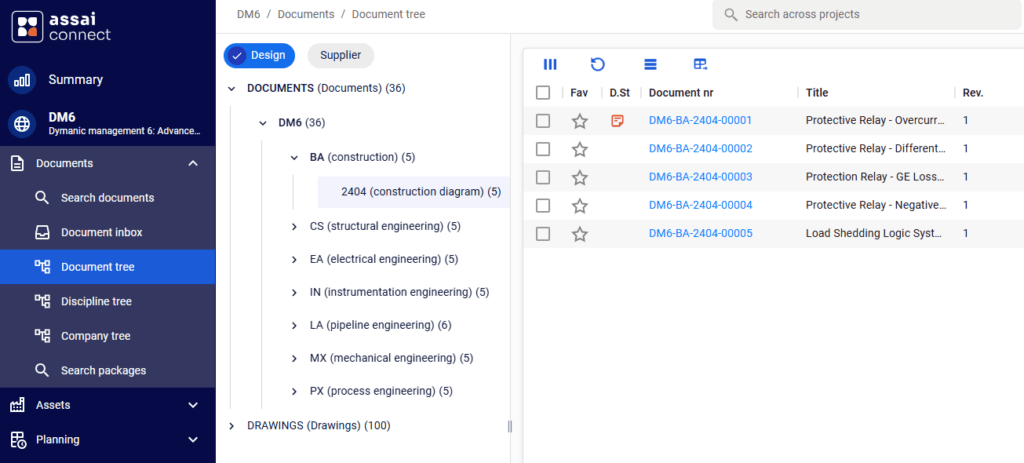
Assai Connect provides tools that help you stay oriented in large and complex environments.
Structured trees for documents, disciplines, and companies create a predictable way to navigate complex projects.
Improved search tools help users find information faster across multiple projects.
Early planning capabilities are available and give a clearer view of work packages and project structure.
Assai Connect is designed with high-volume engineering workflows in mind and improves clarity without changing the underlying logic that teams trust.
Built on the Trusted Assai Foundation
Assai Connect introduces a new experience, built on a trusted Assai foundation.
Your permissions, workflows, and governance remain exactly the same. Everything simply feels faster and easier.
A Modern Design for Today's Assai
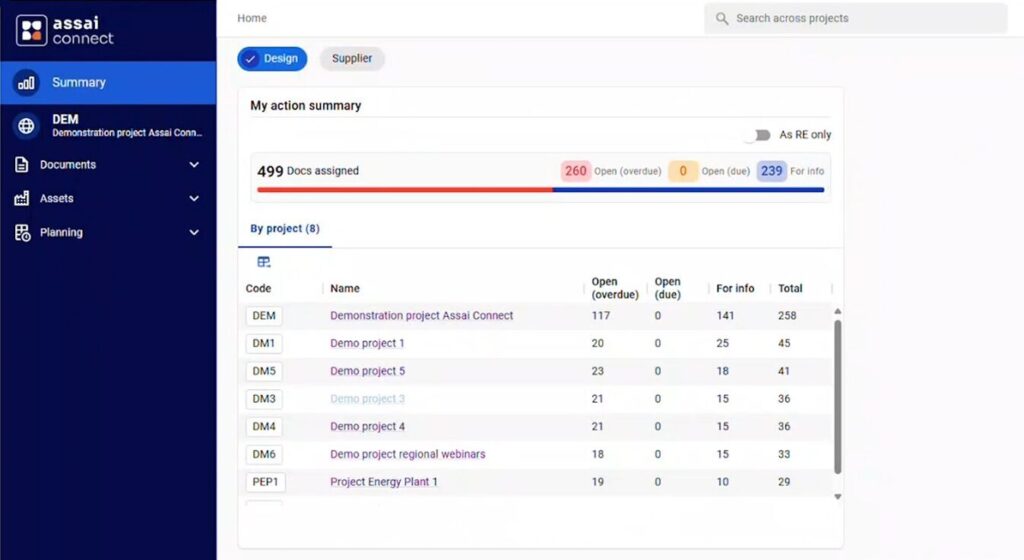
Assai Connect introduces a refreshed design language for the DMS interface.
Refined typography, simplified shapes, and improved contrast support a workspace that feels clearer and more modern.
This foundation enables future features to roll out faster, more consistently, and with a shared visual language.

Ready to see Assai 12 in action?
FAQ
1. What is Assai Connect?
Assai Connect is the modern interface for Assai. It delivers a cleaner, more intuitive workspace while keeping all existing Assai logic and structure fully intact.
2. Will my daily workflow change?
The core workflows remain familiar. Connect simply presents them in a clearer, more organized way, so users can move through their work with less effort.
3. Do I need training to use Assai Connect?
Most users can start working in Connect immediately. Optional walk-through sessions and Assai Academy are available for teams that want structured onboarding.
4. Is Assai Web still available?
Yes. Assai Web remains available alongside Assai Connect, and both work together on the same data.
5. Does Assai Connect have all the same features as Assai Web?
Connect supports all major day-to-day workflows. Some specialized functions may still be accessed in Assai Web. Both interfaces work seamlessly together.
6. Do we need to migrate anything to use Connect?
No. Connect uses the same data, permissions, project setup, and governance rules as Assai Web. There is nothing to migrate, configure, or convert.
7. Are my roles and permissions the same in Connect?
Yes. All roles, access rights, and approval rules behave exactly the same in both interfaces.
8. Can users work in Connect and Web at the same time?
Yes. Actions taken in either interface are reflected immediately in the other. Teams can adopt Connect gradually without affecting existing work.
9. Does Connect require a specific browser?
Assai Connect supports Chromium-based browsers such as Chrome and Edge.
10. How does Assai Connect improve the user experience?
Connect offers a clearer layout, smoother navigation, and more organised, customisable screens. It helps teams stay focused and move through information faster.