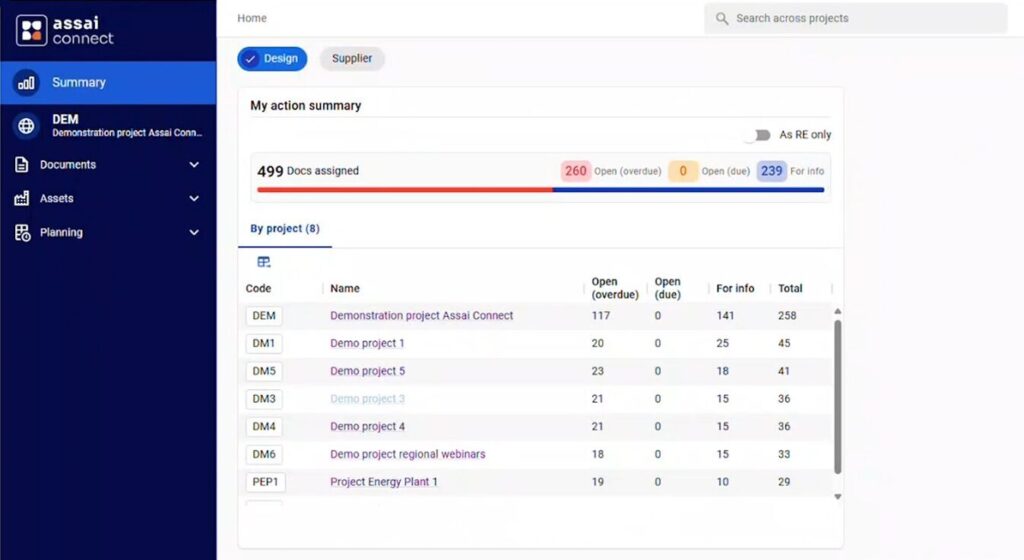
Assai Connect brings a clean, intuitive interface to the core of Assai. It’s built on the same trusted foundation, redesigned for speed, focus, and simplicity.
Highlights
Navigate with fewer clicks
Reach documents and searches faster
Consistent layouts reduce relearning
Smooth, intuitive interactions
A refined, unified experience for every user
Assai Connect gives a familiar system a sharper, cleaner, and more enjoyable interface.
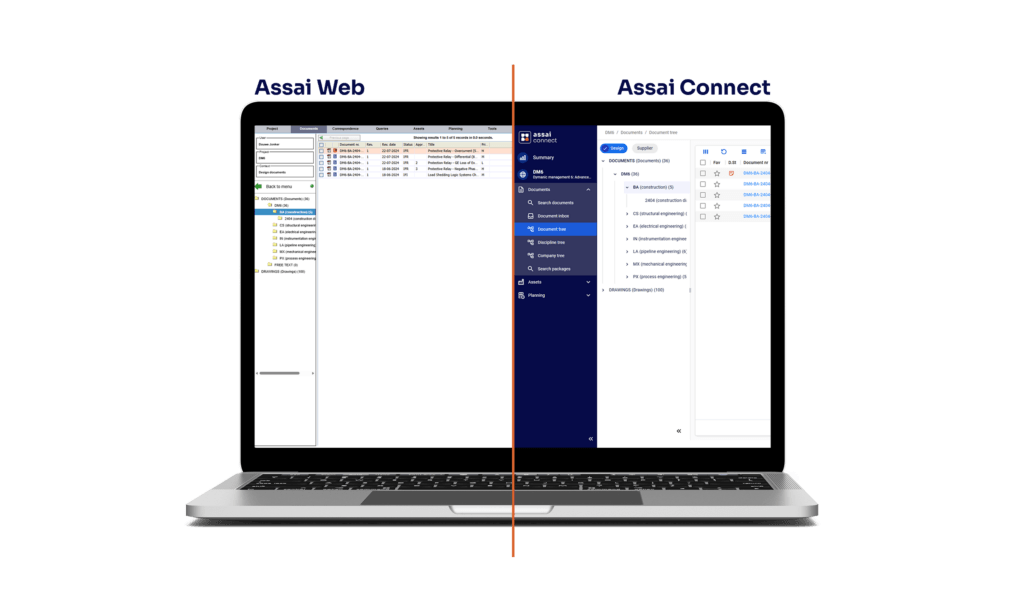
Assai Connect and Assai Web use the same data and the same underlying environment. You can switch between them at any time without migration or reconfiguration.
Assai Web remains available alongside Connect. This ensures a smooth transition as teams adopt the new interface at their own pace.
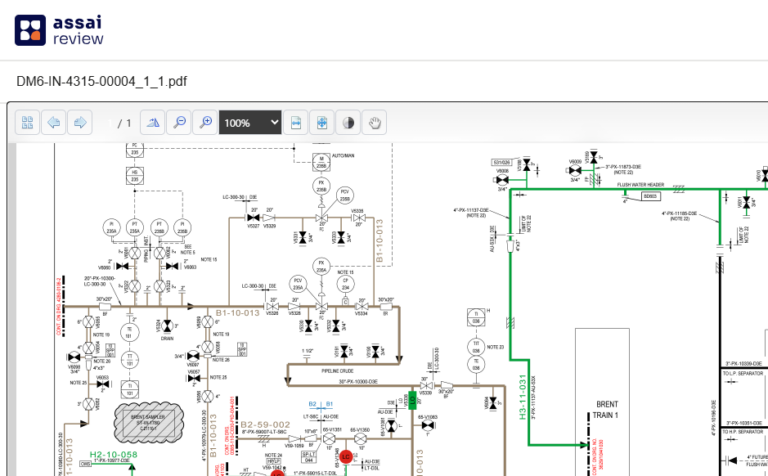
Assai ReView. A Smarter Way to Collaborate on Documents
Assai ReView brings a faster, clearer way to review documents directly inside Assai Connect. With built-in markup tools and a clean, integrated interface, it makes collaboration simple and efficient.
At a glance
Built-in redlining and markup tools
Clear and reliable revision previews
Template-based comments
Screen-to-screen consistency that removes extra steps
Works in the browser with no additional software required
Available by default in Assai Connect.
What’s new in Assai DMS 12
Beyond the redesigned interface, Assai DMS 12 introduces improvements that help teams work faster, stay aligned, and find information with less effort.
Keep work moving
Improved handover indicators make it easier to see when work requires follow-up. Teams can maintain momentum and avoid stalled tasks.
Plan and track
Updates in planning and progress visibility help teams understand status earlier and support contract scheduling with more certainty.
Find anything, anywhere
Refinements to cross-project searching, document trees, and package views help users locate information faster without digging through multiple screens.
Create transmittals with full control
Set up and manage transmittal sheets with ease. The new designer gives teams more flexibility and removes the need for support-driven changes.
Start new projects with less effort
The updated project creation wizard helps teams set up new projects more consistently, applying structure and configuration with less manual work.
Fewer errors in everyday work
Improved revision checks reduce the risk of incorrect entries, and smaller refinements throughout DMS make actions more predictable and consistent.
Along with these updates, Assai 12 includes many smaller enhancements that improve consistency, support, and everyday performance.
A Fresh Look for the Future
Assai DMS 12 introduces updated branding across the DMS environment and a modern interface in Assai Connect. The new design uses cleaner typography, simplified visuals, and clearer contrast to support readability and consistency.
This update prepares the DMS environment for faster and more coherent enhancements in future releases.
Enhancements in Assai DMS 12
Assai DMS 12 includes several improvements across the environment that support administration, performance, and long-term reliability.
Smarter Administration
Create custom transmittal templates and streamline document setup with improved tools.
Performance & Experience
Faster search, consistent field customization, and optimized navigation.
Data Quality & Governance
More robust validations and improved rules for bulk updates.
Assai Portal & API Upgrades
Extended fields, better integrations, and improved comment handling.
Extended Project Flexibility
Longer project codes and more flexible handling of multi-level project structures.
Security & Reliability
Improved logs, additional checks, and stability updates across supported environments.
These enhancements improve stability, clarity, and performance across daily operations.
Assai Connect is available now for all Assai Cloud customers using Assai 12. On-prem customers receive it with release 12.1.
2. Do I need training to use Assai Connect?
Most users can get productive right away. A short Getting Started Guide and e-learning modules are available in Assai Academy, plus free webinars for new users.
3. What’s new in Assai Connect compared with Assai Web?
Connect introduces a modern interface, faster search, redesigned document and revision screens, favorites, trees, package and work-package views, and simplified reviews. Additional features will follow in upcoming releases.
4. Can I still use Assai Web?
Yes. Assai Web remains available alongside Assai Connect, and both work together on the same data.
5. Do we need to migrate data or update permissions?
No migration is needed. Both interfaces use the same database and access settings. Your data, users, and workflows remain unchanged.
6. Which redlining tool does Connect use?
Connect supports existing tools (Brava, Apryse) and now introduces Assai ReView, our next-generation document review solution available from Assai 12 onward.